
Hey there! Hope you’re doing good. This is my first technical post in this blog in which I’ll guide the readers through an introduction to python. The session will be broadly divided into the following parts-
- Installation
- Booting up the editor
- A simple hello world program
- Making your own python powered calculator
To start it off,what is python?
Python is an interpreted, high-level, general-purpose programming language. In simple words,its a language which you can use to build all types of applications starting from a simple calculator to a fully functional website using as less lines of code as possible in an elegant manner.
Now then,lets get started-
INSTALLATION-
Head over to the official python site and download Python. There are two types of downloads,one is Python version 2 and another is version 3. I will strongly recommend installing version 3 as it is the latest one and Python 2 will not be maintained after 2020.
BOOTING UP THE EDITOR-
After downloading and installing python in your machine head over to the folder in whcih you have installed Python. Then navigate to this subfolder-
Lib/idlelib
So now my entire local path looks like this – G:\Python 3.6.5\Lib\idlelib
In here,find idle.bat (windows batch file) file and make a shortcut of it in your desktop or wherever you feel comfortable. (Note:-You ll be launching your editor from this location every time you want to code.)
Double click the idle.bat file and wait for a screen to pop up.
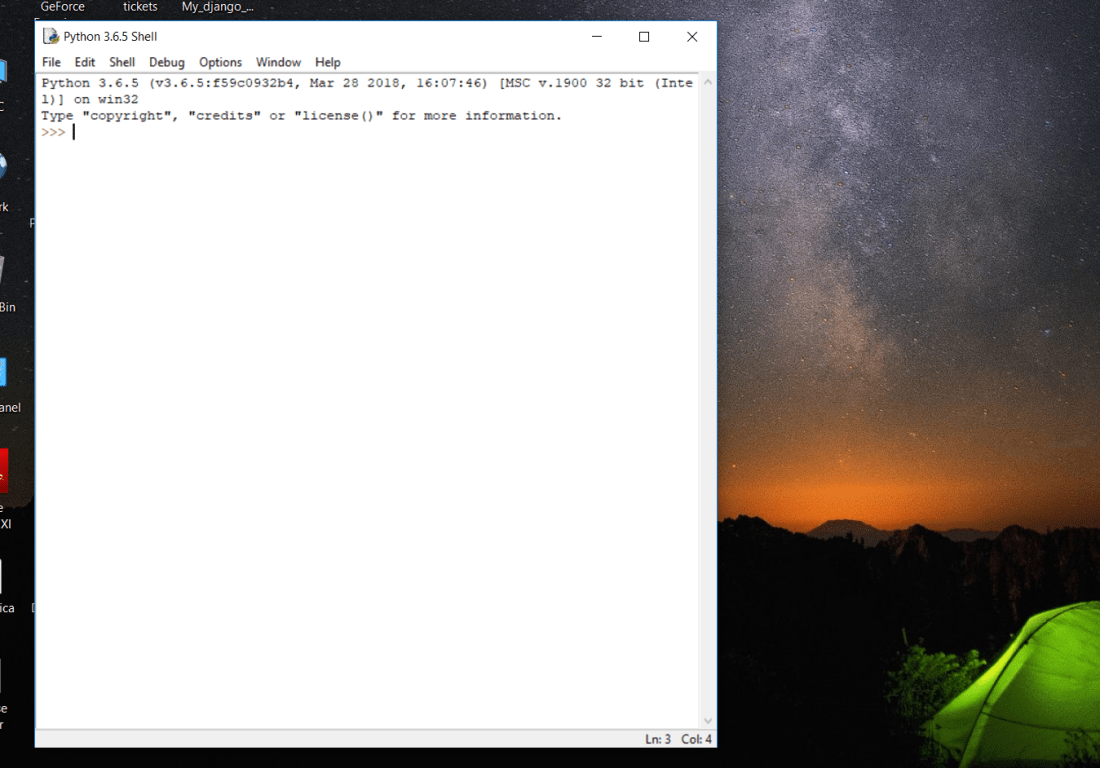
This ladies and gentlemen is your python shell. Try running the command-
print(2+2)
4 should be printed as the output.
Now,this shell can be used if you want to write a one line code or a single loop code. However,this wont be normal. We would need a editor of some sort where we can write our code and then execute it all at once.
For this,go to File and select New File. Another window will pop up and this is your editor.
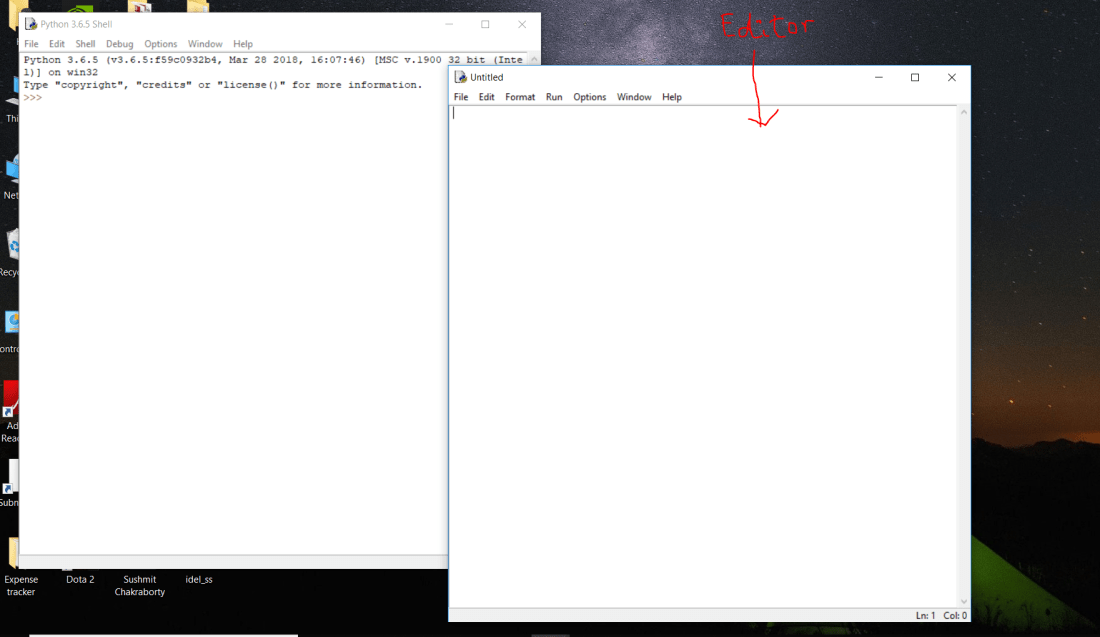
Side note:-This choice of editor may seem weird,but trust me IDLE is the simplest form of editor you can use to get started with python. If you feel like having a fancy editor,you can go ahead and download Pycharm community edition from their offcial site.
A SIMPLE HELLO WORLD PROGRAM
Now,with the editor set we are ready to get our hands dirty with some code. Lets get started on our hello world program.
Open up your IDLE editor and write the following line of code-
print(‘Hello world’)
Aaaaaaaaaaaand that’s it! Yes! Python is that simple. Lets see if it outputs anything or not.
Save the file and press F5 or Run—>Run Module. A Hello world message should be printed on your shell.
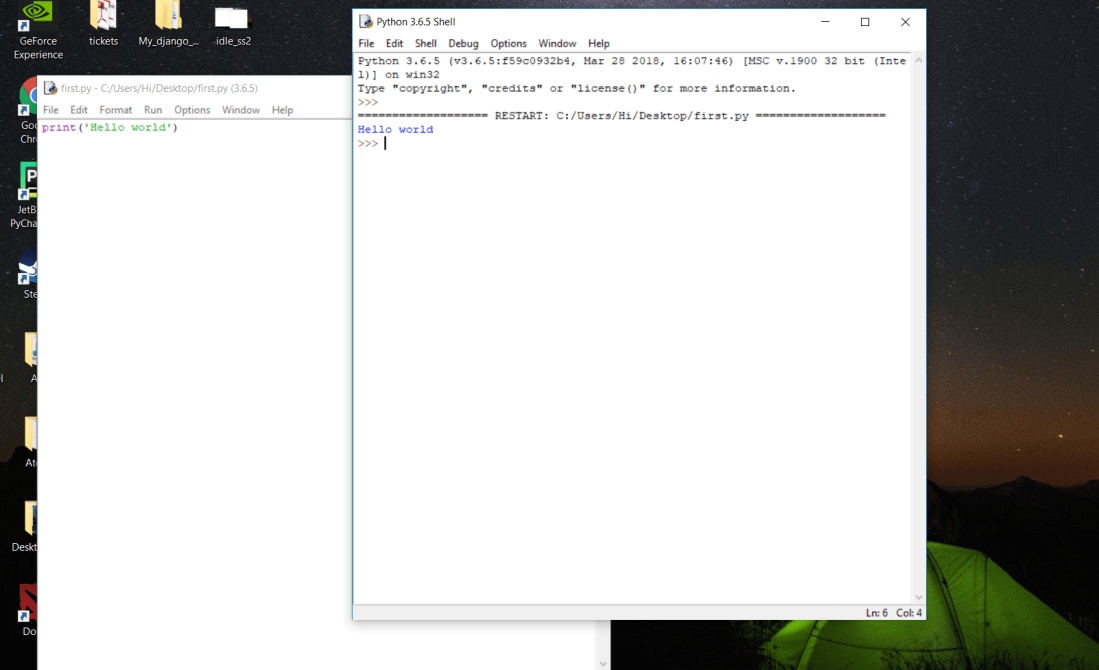
So whats happening in that line of code? Well print is an inbuilt function in python where it takes a value/string inside the parenthesis and simply prints that to the output. So,in this case we have given ‘Hello world’ as our argument inside print function so it has printed that out.
Congratulations on reaching this far! Pat yourself on the back. You have earned it.
MAKING YOUR OWN PYTHON POWERED CALCULATOR-
As you may have guessed,while a Hello World program is essentially a great first step towards learning a language but to be proficient in a language you got to be able to solve real world problems with these. Lets make our own calculator using python.
Open a new file and code out the following lines-
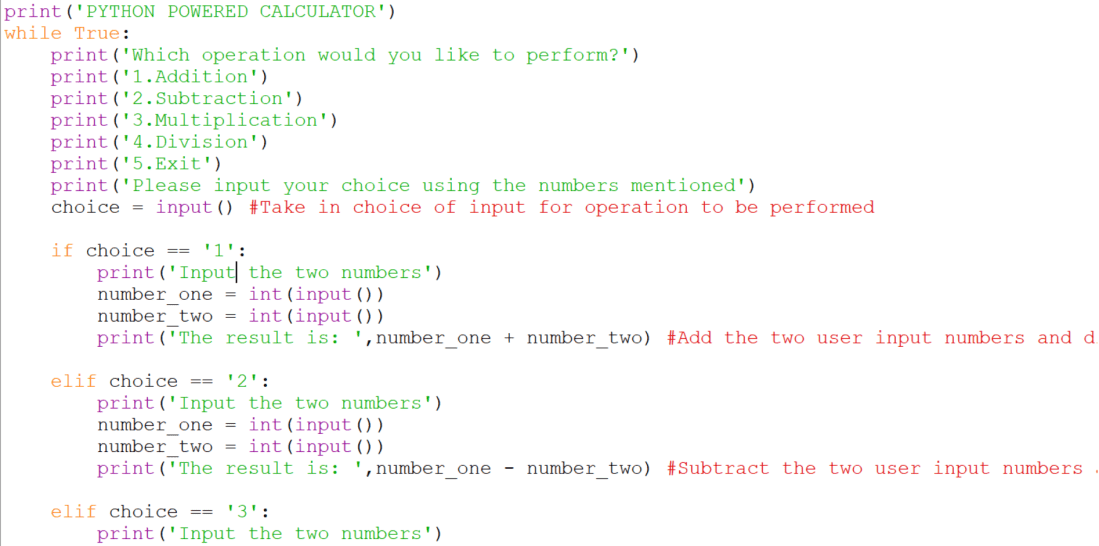
while is a loop in python which will keep repeating the block of code inside it,until the condition which is given with it is false. So in this case the loop will repeat endlessly,as the condition mentioned is while True which can not be false.
After this we print out all the functions of the calculator using print statements.
choice = input()
input is a function which stops the code execution in that particular line and takes in an user input value. So this line of code will take in an user input value and assign it to the variable choice.
Following this,we have several conditional statements. What are conditional statements? They are blocks of code which are executed only when the condition mentioned is True. So,if user input is ‘1’,then the code will execute the block for addition,if it is ‘2’ the block for subtraction will be executed and so forth.
(Note:- Conditional equal to operators are given by == and not =)
Continued –
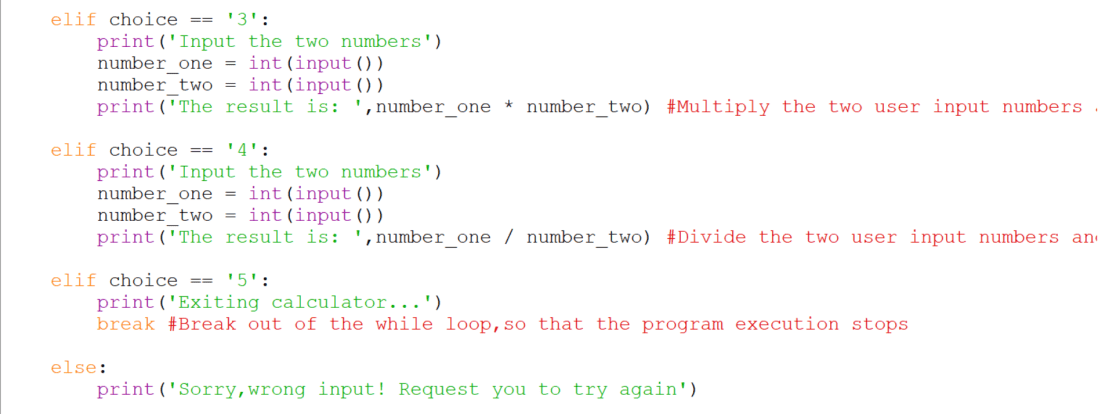
The resultant code structure should look like this-
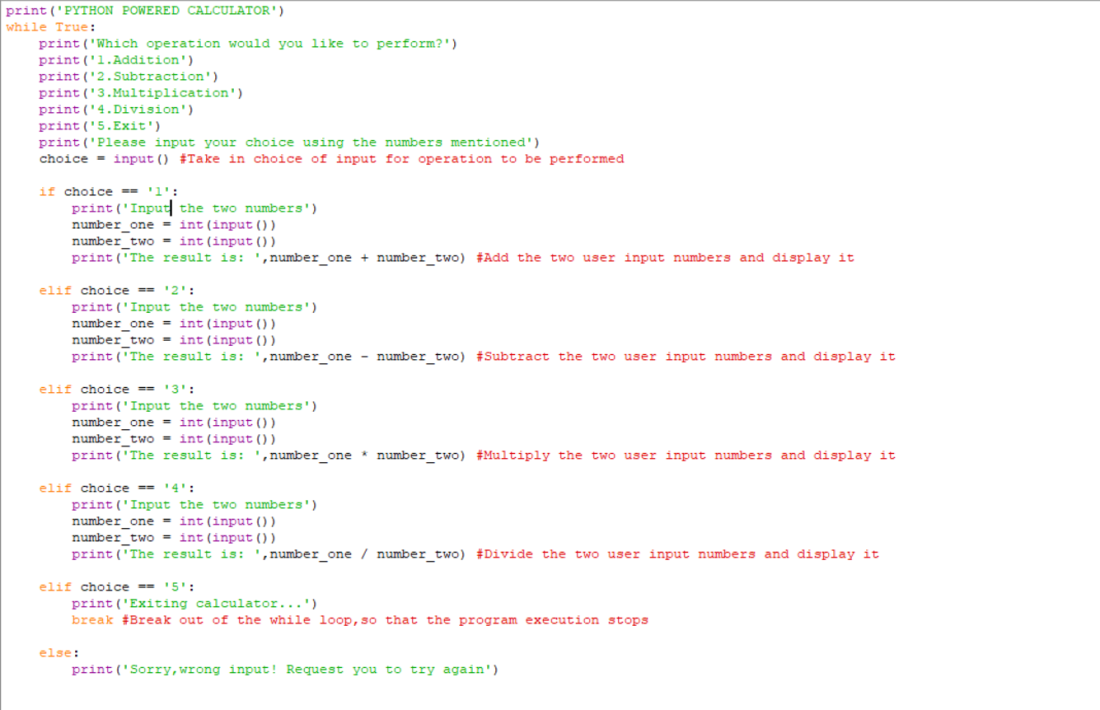
One very important point to be noted in this code is while taking input for number_1 and number_2,I have put an int infront of the input() function. You may ask why?
Well,this is because by default python treats all inputs as string type variable. So when we try to peform an arithmetic operation on it,it’ll throw an error or behave abnormally. So we need to tell python to convert that input into integer,so that the operations can be performed.
And thats it!
Go ahead and fire up your calculator and watch it roll! Wohoo,first day into python programming and you have already completed your first python project. Way to go! Do remember to reward yourself for your awesome work!

Hope you have enjoyed this tutorial. Do let me know if you have any questions or come across any hurdles. See you in the next post!
 Py ABC